MyPeptideShelf

Guides › Free printables

Free printable vial labels

By the MyPeptideShelf team · Updated October 12, 2026 · How we write our guides

A sheet of small labels for your vials, or for the box you keep them in. Fill one in when you open a vial, so the details you need are right there: what it is, how much liquid is in it, when you opened it, and when to stop using it.

Vial: ____________________
Liquid: ______ mL
Opened: __________   Use by: __________
Vial: ____________________
Liquid: ______ mL
Opened: __________   Use by: __________
Vial: ____________________
Liquid: ______ mL
Opened: __________   Use by: __________
Vial: ____________________
Liquid: ______ mL
Opened: __________   Use by: __________
Vial: ____________________
Liquid: ______ mL
Opened: __________   Use by: __________
Vial: ____________________
Liquid: ______ mL
Opened: __________   Use by: __________
Vial: ____________________
Liquid: ______ mL
Opened: __________   Use by: __________
Vial: ____________________
Liquid: ______ mL
Opened: __________   Use by: __________
Vial: ____________________
Liquid: ______ mL
Opened: __________   Use by: __________
Vial: ____________________
Liquid: ______ mL
Opened: __________   Use by: __________
Vial: ____________________
Liquid: ______ mL
Opened: __________   Use by: __________
Vial: ____________________
Liquid: ______ mL
Opened: __________   Use by: __________

Why label your vials?

  • The liquid volume lets you see at a glance how much should be left.
  • Dates. The opened date and the use-by date tell you when to start fresh. See which date applies.
  • No mix-ups when you have more than one vial. See tracking multiple vials.

Tips

  • Use a pen that won't smudge in the fridge, and cover the label with clear tape.
  • If a label won't fit on a small vial, put it on the vial's box or a small bag instead, and keep the vial inside.
  • Don't cover your pharmacy's label. Keep it readable.

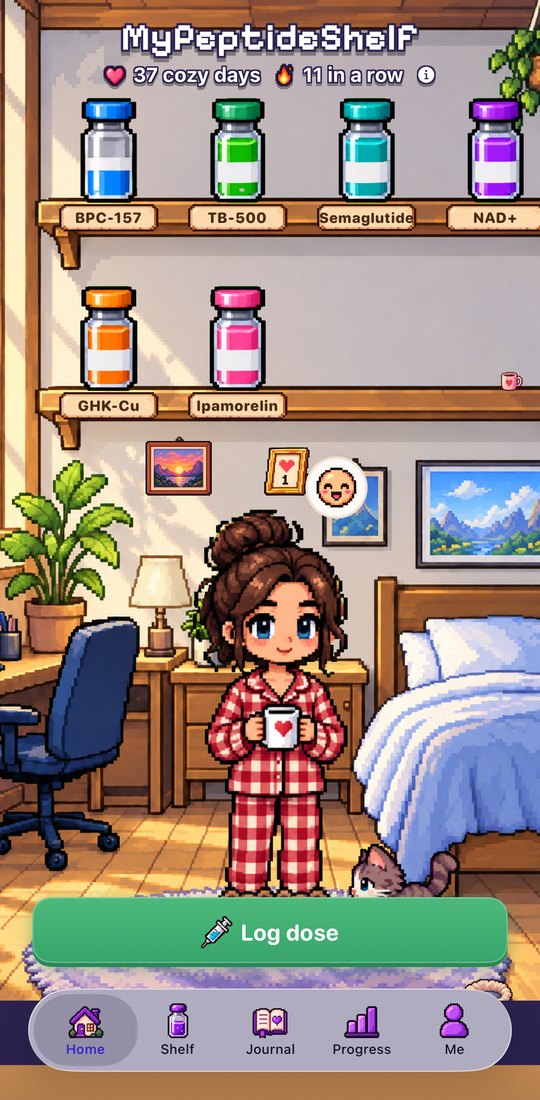
MyPeptideShelf keeps the same details for each vial on your phone and shows what's left, about how many draws are left and the use-by date at a glance.

Quick answers

What should I write on a mixed vial?

Its name, the liquid volume in mL, the date you opened it and its use-by date.

How do I print the vial labels?

Press Print the labels, or use your browser's print option. Cut them out and tape them on with clear tape, or put them on the vial's box.

Track it in MyPeptideShelf

Vials, doses, sites and reminders in one cozy, private app. Free to start.
Get MyPeptideShelf

Vials on the MyPeptideShelf shelf